For newsrooms, agencies, nonprofits and content teams
Send a link. Get a story.
Reporters do interviews on deadline. With StoryIntake, you send one link. Sources answer by chat, email or voice on their own time. You get back a clean transcript, faithful quotes and a first draft you can edit straight into print or web.
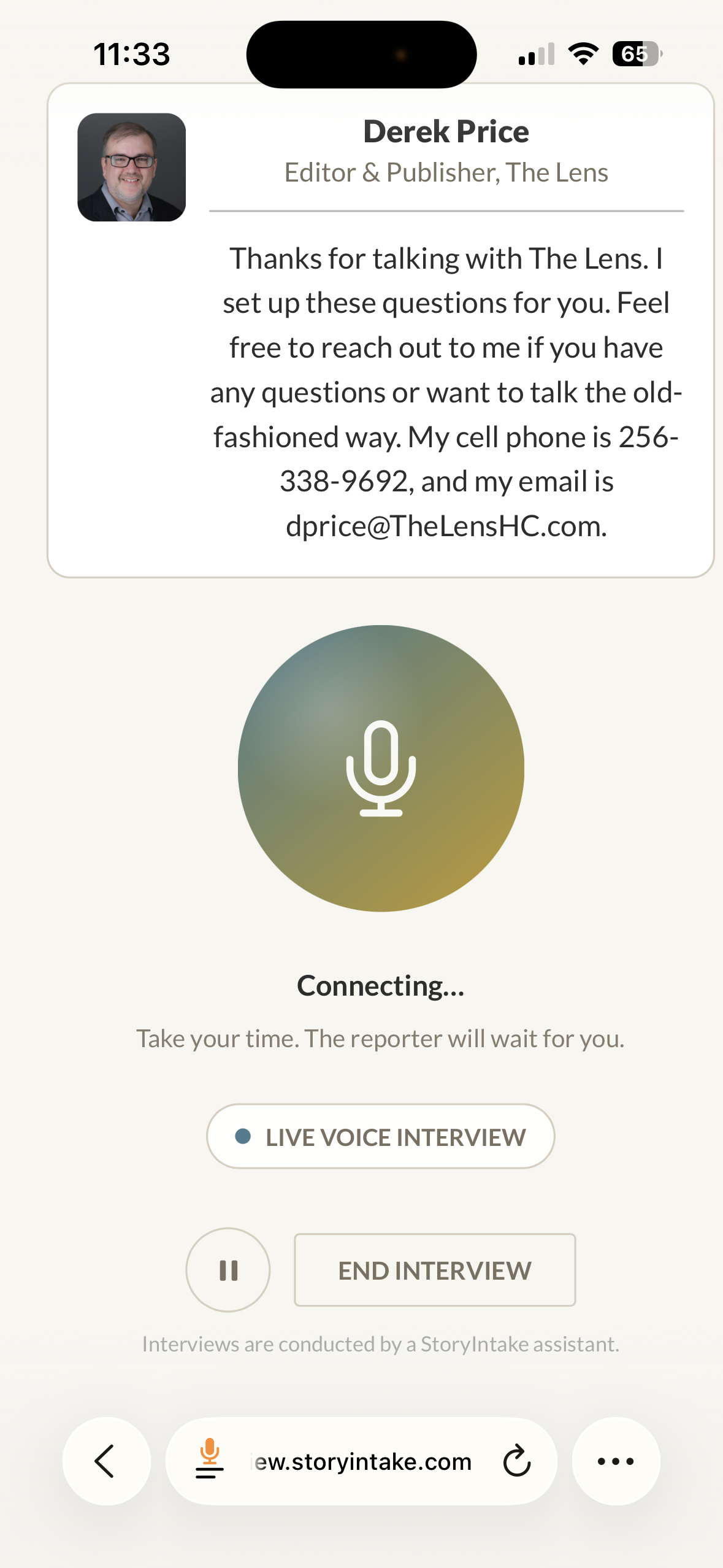
See it from your interviewee's side
Try a real interview yourself.
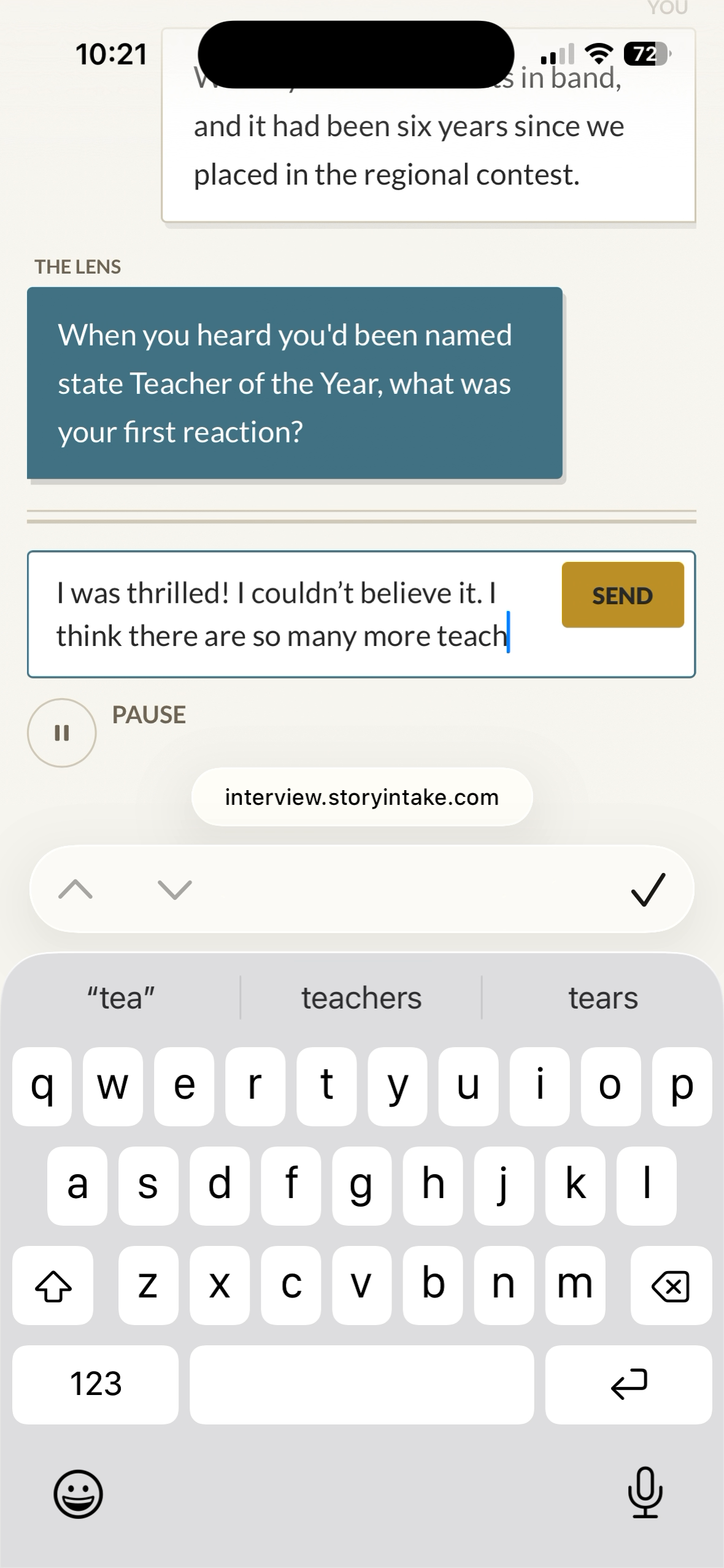
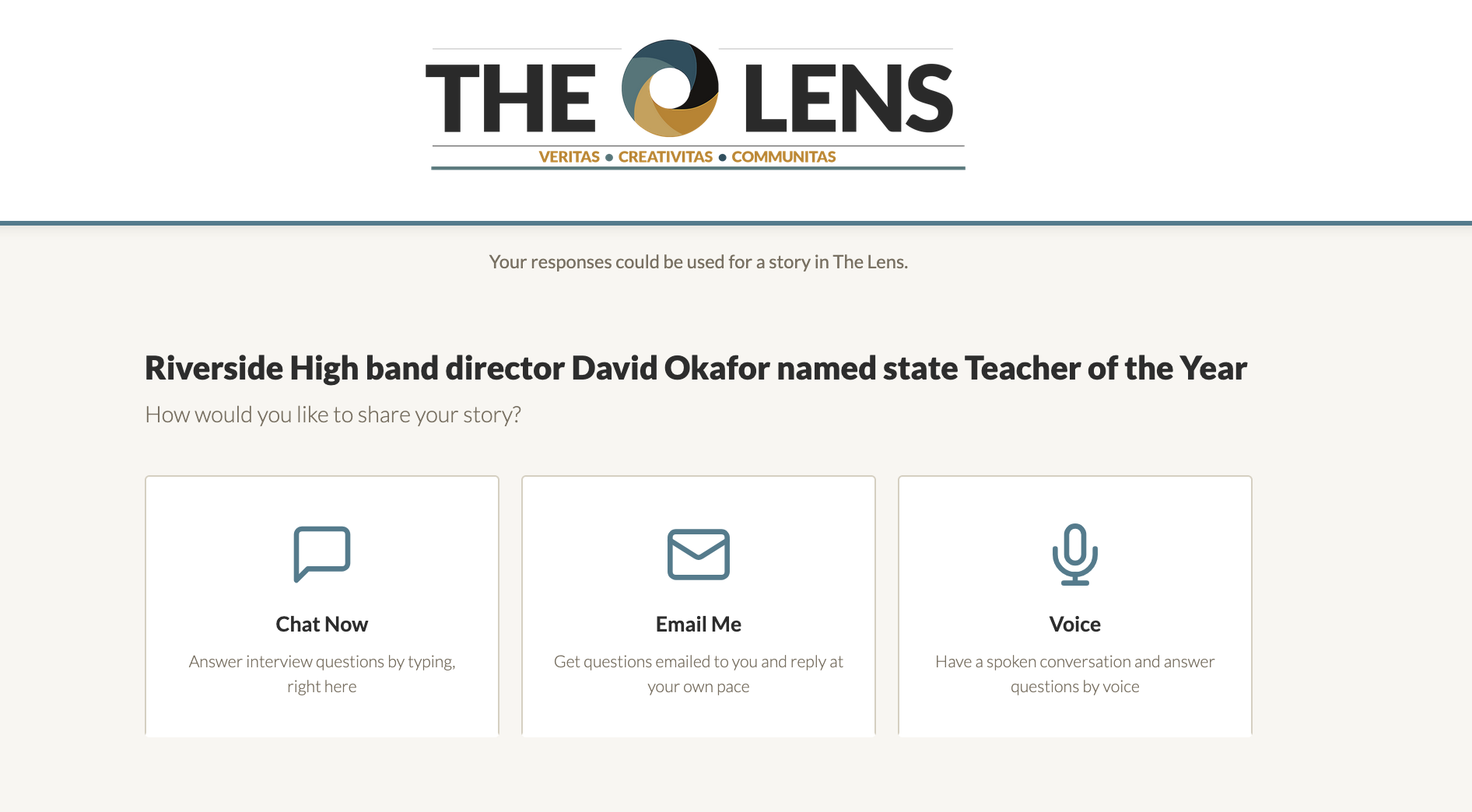
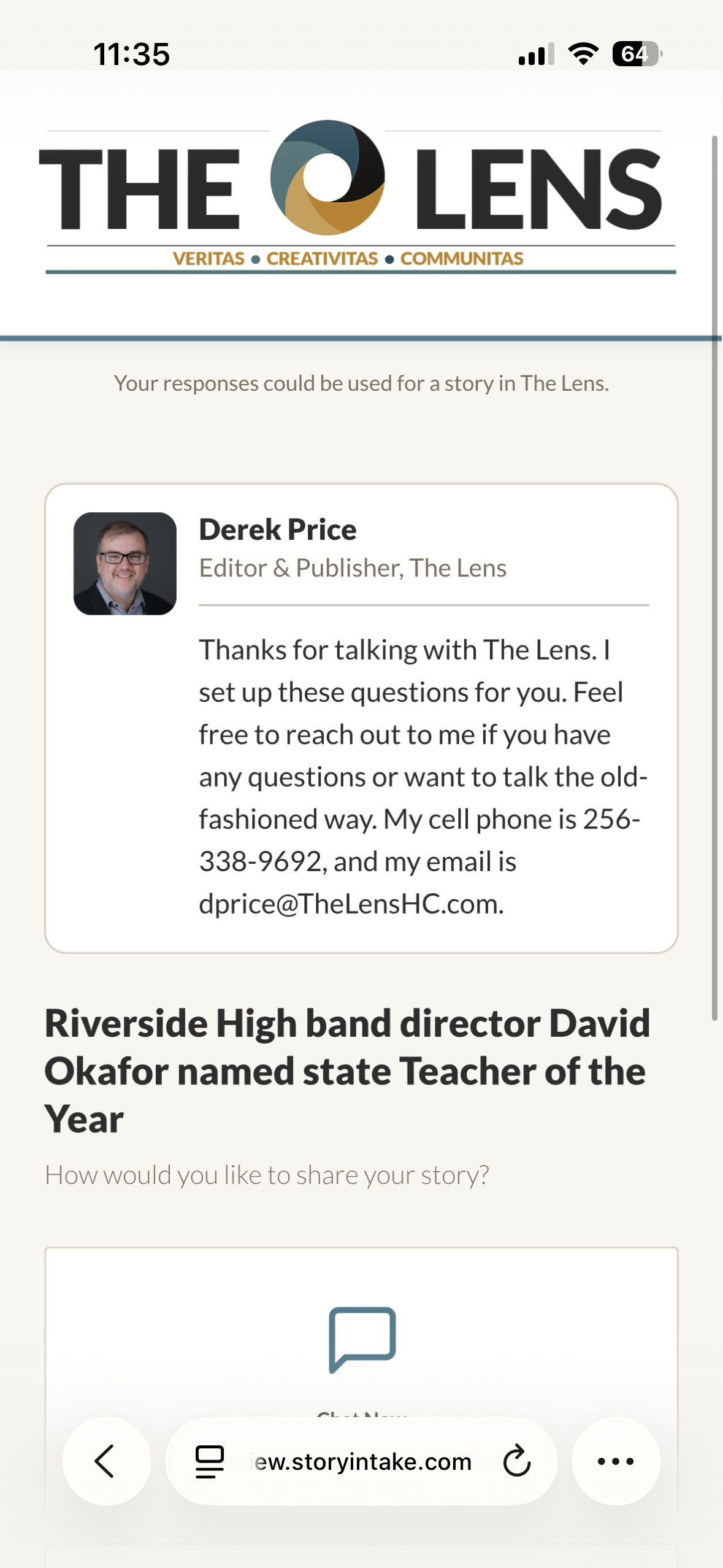
Open a live StoryIntake interview, the same kind you'd send to a source. Answer four short questions about a person who shaped your work. We'll generate a clean draft, run Preflight against your own words and email the result to you so you can see the whole arc end to end.
The problem
The interview is the easy part. Everything around it is the grind.
Chasing callbacks. Scheduling around three time zones. Re-typing answers from voicemail. Pulling quotes out of email threads. Then starting the draft from scratch.
StoryIntake gives every person you interview a quiet, branded place to answer on their own time and keeps the transcript, photos, drafts, layouts and audio in one workspace from the first message to the final export.
Four connected workflows, one workspace
One interview, every format you need to publish.
No more exporting a transcript here, drafting somewhere else, designing in a third tool and editing audio in a fourth. It all happens against the same source material.
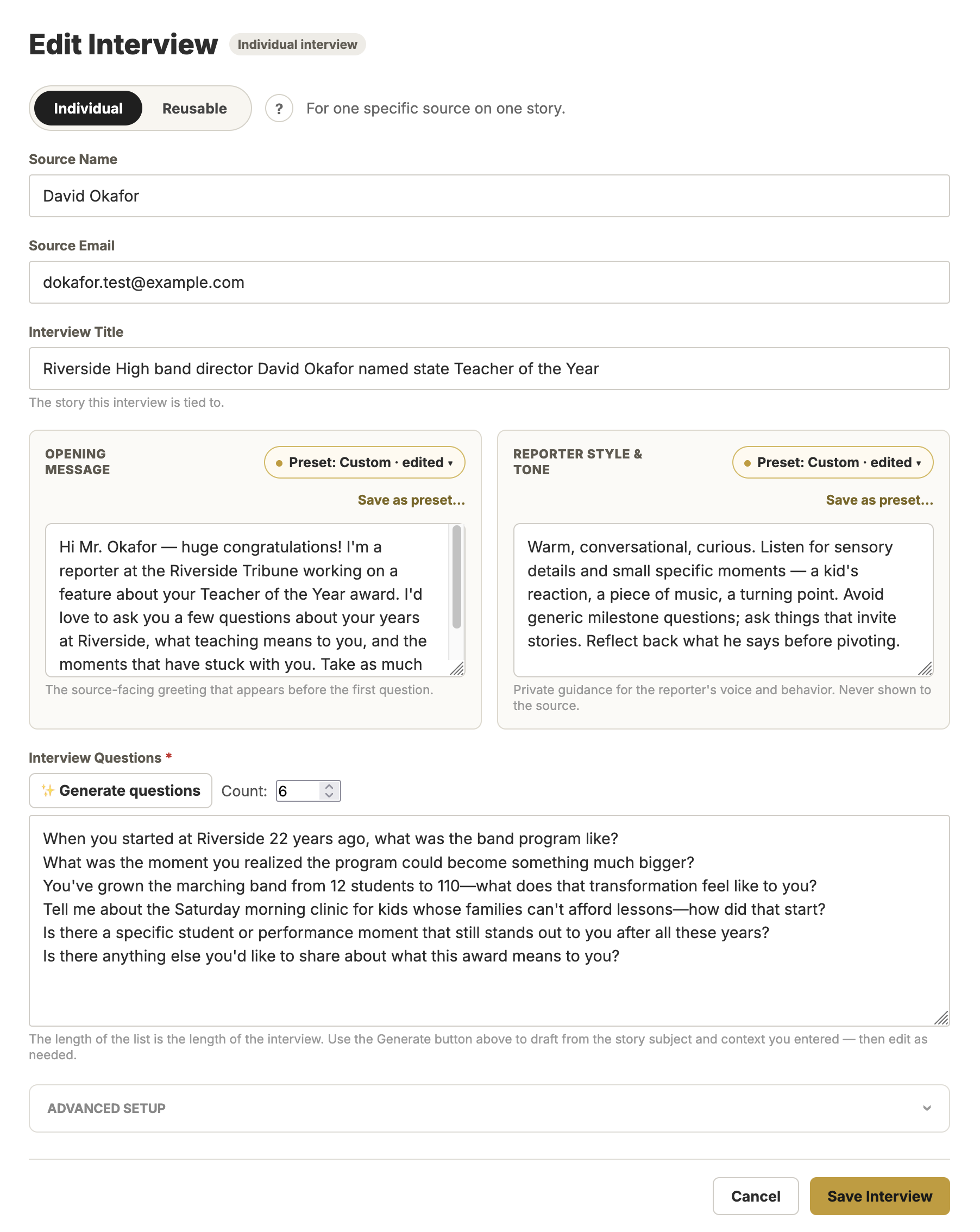
Interviews
Send one secure link. Your interviewee answers by chat, email or voice on their phone, on their schedule, with no account or calendar invite. Photos and follow-ups stay attached to the story.
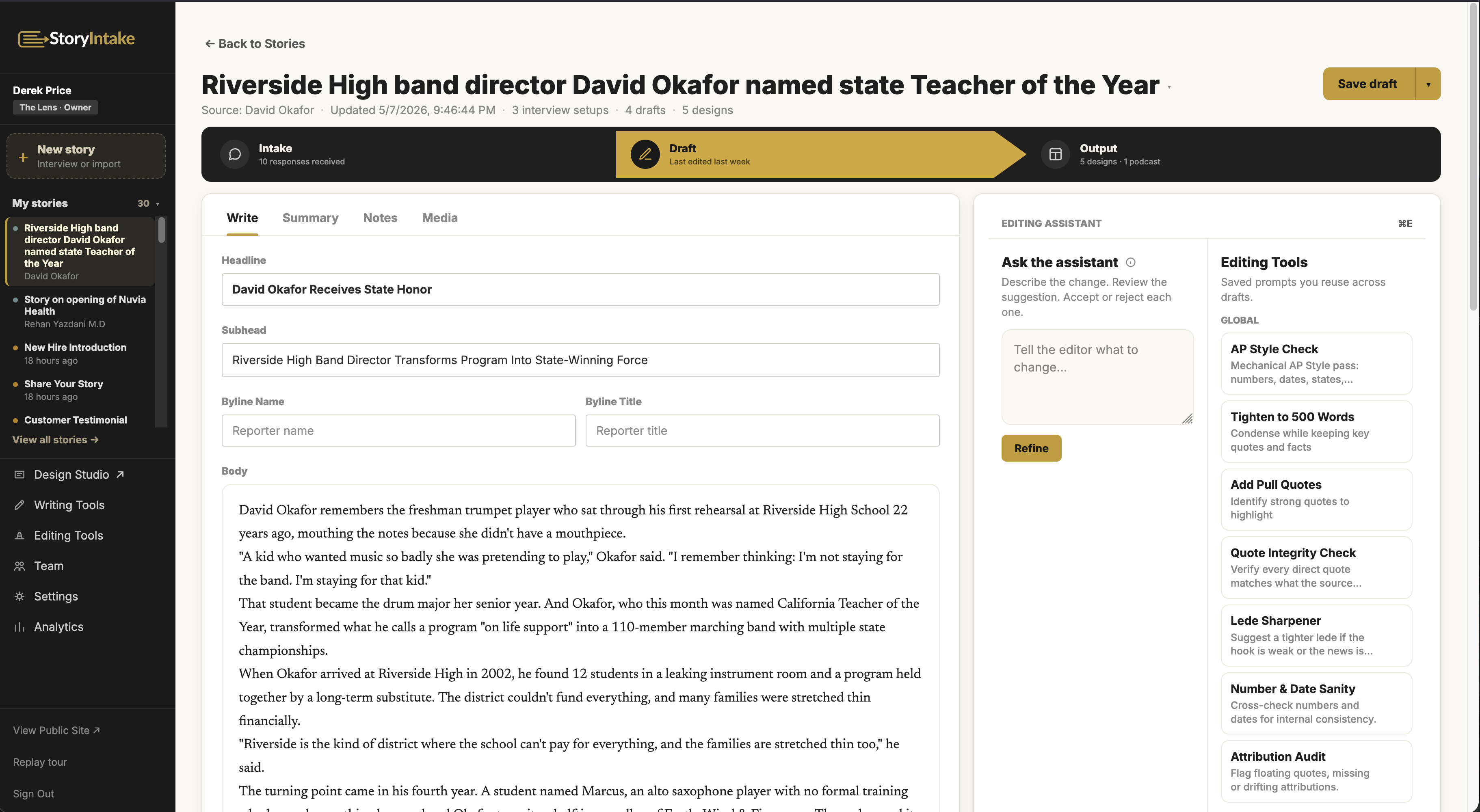
Drafting
Turn a finished interview into a first draft. Use Writing Tools to generate headlines and pull quotes, Editing Tools to enforce your house style and Preflight to verify every direct quote against the source transcript before you publish.
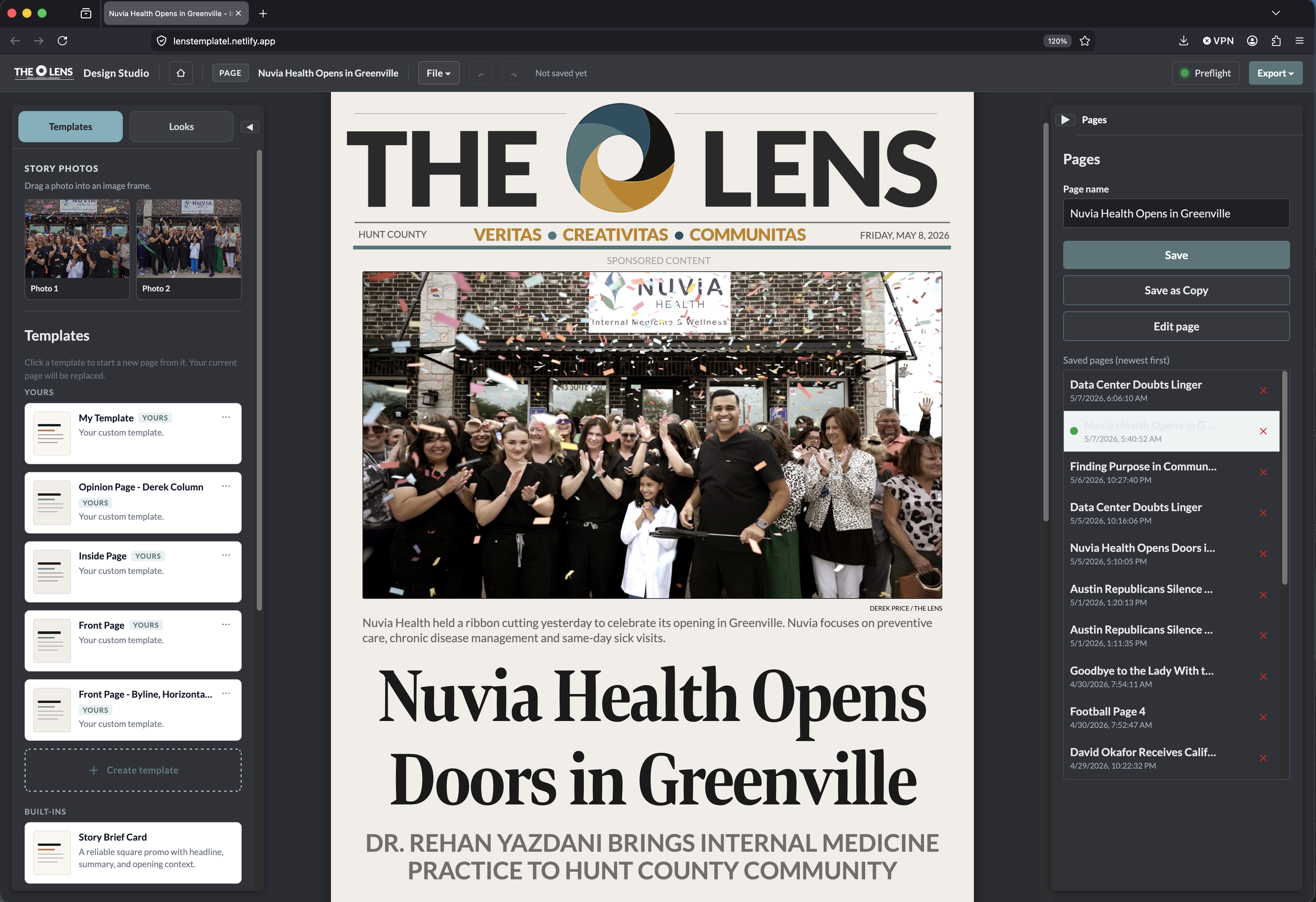
Design
Drop the draft into Design Studio and lay it out as a print page, social graphic or pitch slide. 18+ templates, 11 brand themes, your colors and logo applied automatically.
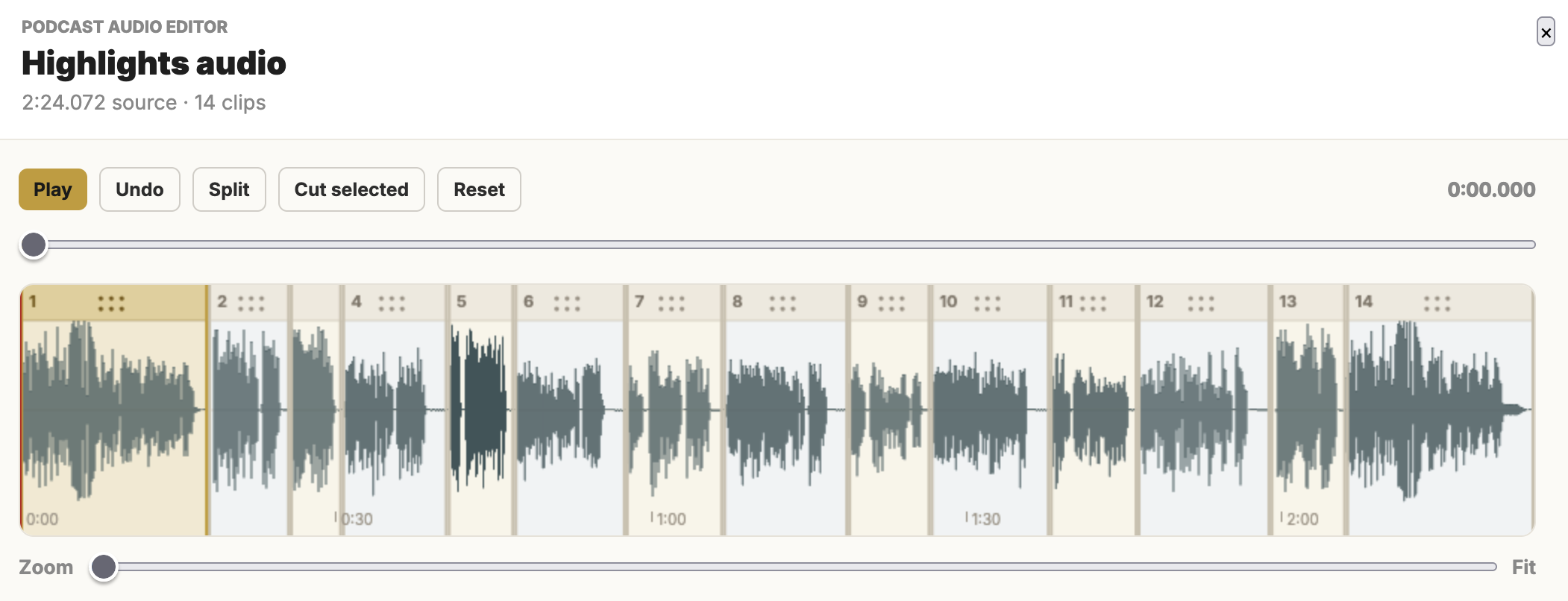
Podcast
Skip Audition, Audacity, GarageBand. Voice interview in, finished MP3 out. Host narration, intro, outro and cleanup all handled automatically.
How it works
From first question to finished story in four steps.
Set up the interview
Write your questions, set the tone, add background context. Save it as a reusable template or send a one-off.
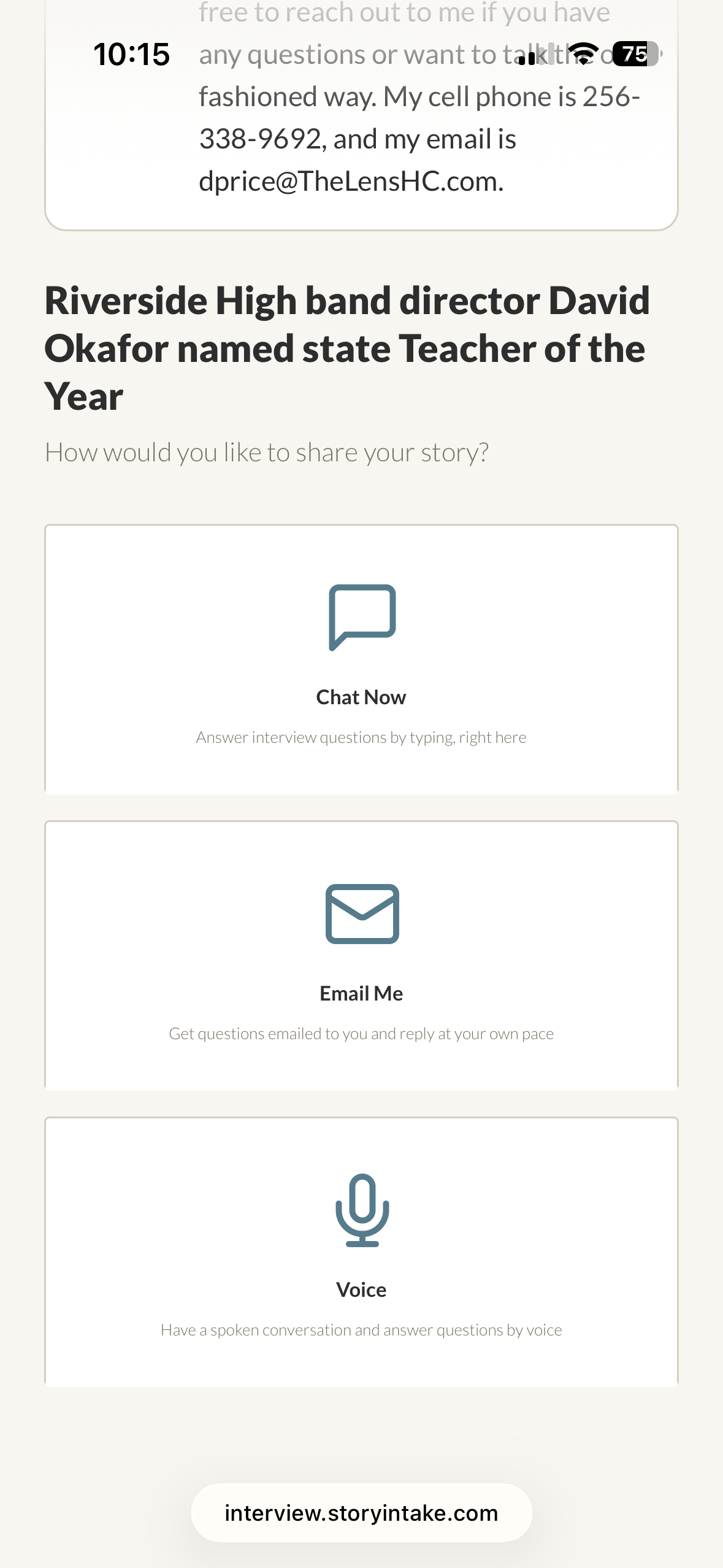
Share the link
Your interviewee opens it on their phone or laptop, answers by chat, email or voice when they have a few minutes and uploads photos if you ask.
Generate the draft
Pick a draft style and let StoryIntake write a first pass from the actual transcript. Edit in place. Quotes stay attributed.
Publish or produce
Export to your CMS, lay it out as a designed page in Design Studio or turn it into a podcast episode in Podcast Studio.
Why not just email or a Google Form?
Because the interview is only the first 10% of the work.
Email loses the thread
Answers, photos and follow-ups end up scattered across inboxes. StoryIntake keeps everything attached to one story so nothing falls through.
Forms feel like paperwork
People give you their best answers when it feels like a conversation. StoryIntake interviews can ask follow-up questions automatically, and the source-facing pages carry your branding, not a generic vendor's.
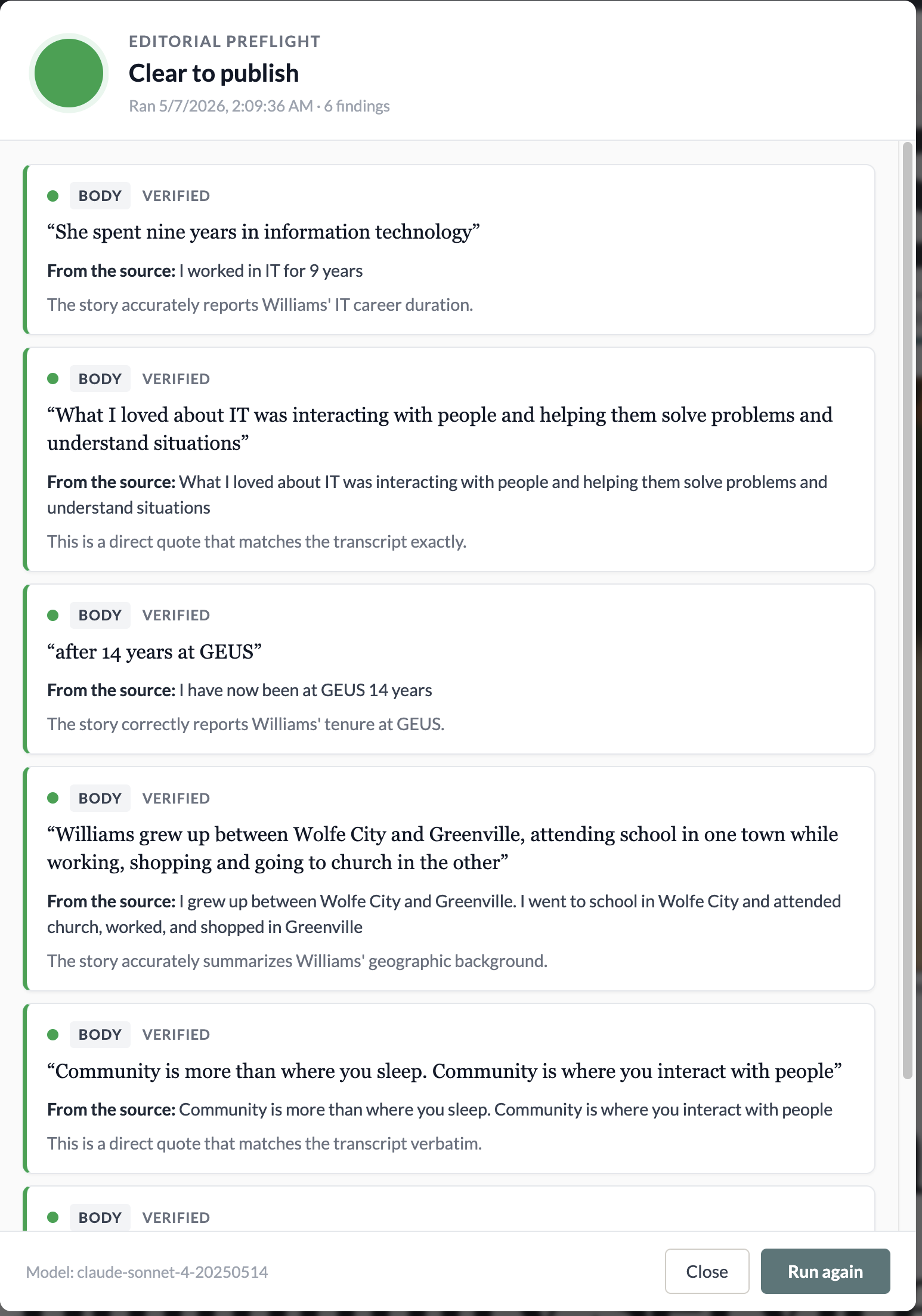
Preflight checks every quote before you publish
Run Preflight on any draft and StoryIntake checks each direct quote against the source's actual answers. You see what matches, what doesn't and where every quote came from, before anything goes out the door.
Pricing
Pick a plan once you've seen what it can do.
Every new workspace starts on a 14-day Pro trial. Full features. No credit card. If you don't pick a paid plan, your workspace moves to the free Solo plan automatically. No surprise bill.
Solo
For independents and small teams who collect a handful of stories a month.
$19/month
- Up to 30 written interviews per month
- Chat and email intake modes
- Reusable interview templates
- Custom AI draft tools
Pro
For independent journalists, comms pros and creators who interview every week.
$49/month
- Up to 150 written and 30 voice interviews per month
- Everything in Solo, plus:
- Voice interviews (recorded and transcribed)
- Podcast Studio: finished MP3 episodes from voice interviews
Team
For newsrooms, agencies and nonprofits with multiple people interviewing.
$99/month
- Up to 600 written and 100 voice interviews per month
- Everything in Pro, plus:
- 3 user seats included (add more for $89/mo each)
- White-label source-facing interfaces (no StoryIntake branding)
Ready when you are
Send your first interview link in five minutes.
Try StoryIntake free for 14 days with full Pro features. No credit card. Cancel by doing nothing.
FAQ
Common questions before you start.
Free trial
How does the free trial work?
When you sign up, your workspace gets 14 days of full Pro access, including chat, email and voice interviews, AI drafting, Design Studio and Podcast Studio. Use it for real work. We don't ask for a credit card.
Do I really not need a credit card?
Correct. We don't take a card up front. If you decide StoryIntake isn't for you, do nothing. Your trial just ends and you don't get charged.
What happens when the 14 days are up?
If you've picked a paid plan, you keep going on that plan. If you haven't, your workspace moves to Solo automatically. Your interviews, drafts, designs and photos all stay in place, but voice interviews and Podcast Studio turn off until you upgrade.
Can I extend the trial if I need more time?
Email support@storyintake.com. We extend trials manually for teams that need an extra few days for review or approval.
Can I cancel after I pick a paid plan?
Yes, anytime, from inside your workspace billing page. We don't do annual lock-in or cancellation fees.
Getting started
Who is StoryIntake for?
Newsrooms, marketing and PR agencies, nonprofits, university communications teams and independent journalists or content creators. Anyone who interviews people and turns those conversations into published material. If you regularly chase callbacks, retype quotes or copy interview text into another tool to draft from, this is built for you.
Do the people I interview need to create an account?
No. They open one secure link, answer your questions on their own time and submit. No login, no app to download, no calendar invite. The interview page carries your branding so it feels like part of your organization.
Can I see it in action before I sign up?
Yes. The 40-second marketing video on the homepage gives you a quick overview. The features page has a longer walkthrough that goes deeper into drafting, design and podcast production.
Is StoryIntake an AI tool?
It uses AI for the parts where AI helps. Turning a finished interview into a first-draft story, generating headlines, transcribing voice answers, producing podcast narration. The interviews themselves are real conversations with real people, and a human edits and approves everything before it's published.
Output and integration
What do I get when an interview is complete?
A clean transcript, an AI-generated summary, any photos the source uploaded and a draft started in whatever style you chose. Everything stays organized under one story. You can come back to it weeks later and find every piece in the same place.
What can Design Studio export?
High-resolution JPEG images at four canvas sizes: print letter (8.5 × 11), square social (1:1), vertical story (9:16) and landscape (16:9). The same draft can be re-laid-out for each canvas without rebuilding from scratch.
Can I get the content out of StoryIntake?
Yes. Drafts can be copied to your clipboard, exported as plain text or pasted directly into your CMS. Design Studio exports as JPEG. Podcast Studio exports finished MP3 episodes ready for your podcast host.
Does StoryIntake integrate with my CMS?
Today the workflow is: draft in StoryIntake, copy or export, paste into your CMS. Direct CMS integrations (WordPress, Ghost, Webflow, Notion) are on the roadmap. Tell us which one you use and we'll factor it in.
Is my data private?
Yes. Interview content is encrypted in transit and at rest, you keep ownership of everything you collect, and we don't use your interviews to train any AI models. Read the full privacy policy for the specifics.
Plans and pricing
What's the difference between Solo, Pro and Team?
Solo ($19/mo) covers written interviews (chat and email), drafting, Writing Tools, Editing Tools, Preflight and full Design Studio. Pro ($49/mo) adds voice interviews, Podcast Studio and custom privacy notices. Team ($99/mo) adds three user seats, white-label source pages, analytics and priority support. Writing Tools, Editing Tools, Preflight and the full Design Studio come with every plan.
What counts as 'one interview'?
An interview is one finished response from someone you sent a link to. If they start but don't complete it, it doesn't count toward your monthly limit. You can send the same person multiple links. Those count separately.
What if I hit my monthly limit?
We'll let you know as you approach it. You can upgrade in two clicks, and the new limits apply immediately. We won't cut you off mid-conversation. Pending interviews finish, and the limit affects new ones.
Can I add more seats to a Team plan?
Yes. Team includes three seats, and additional seats are $89/month each. Add or remove them anytime from billing.
Why is voice gated to Pro and Team?
Voice interviews are more expensive to run. Real-time AI conversations, transcription and audio storage all cost more than text. Gating voice keeps Solo affordable at $19 instead of forcing the price up for everyone.